
Workex Solutions

Complete Oversight of Your Field Operations.

Complete Oversight of Your Field Operations.

Review reports before they leave the business. Track equipment history and keep work consistent across every job.

Review reports before they leave the business. Track equipment history and keep work consistent across every job.

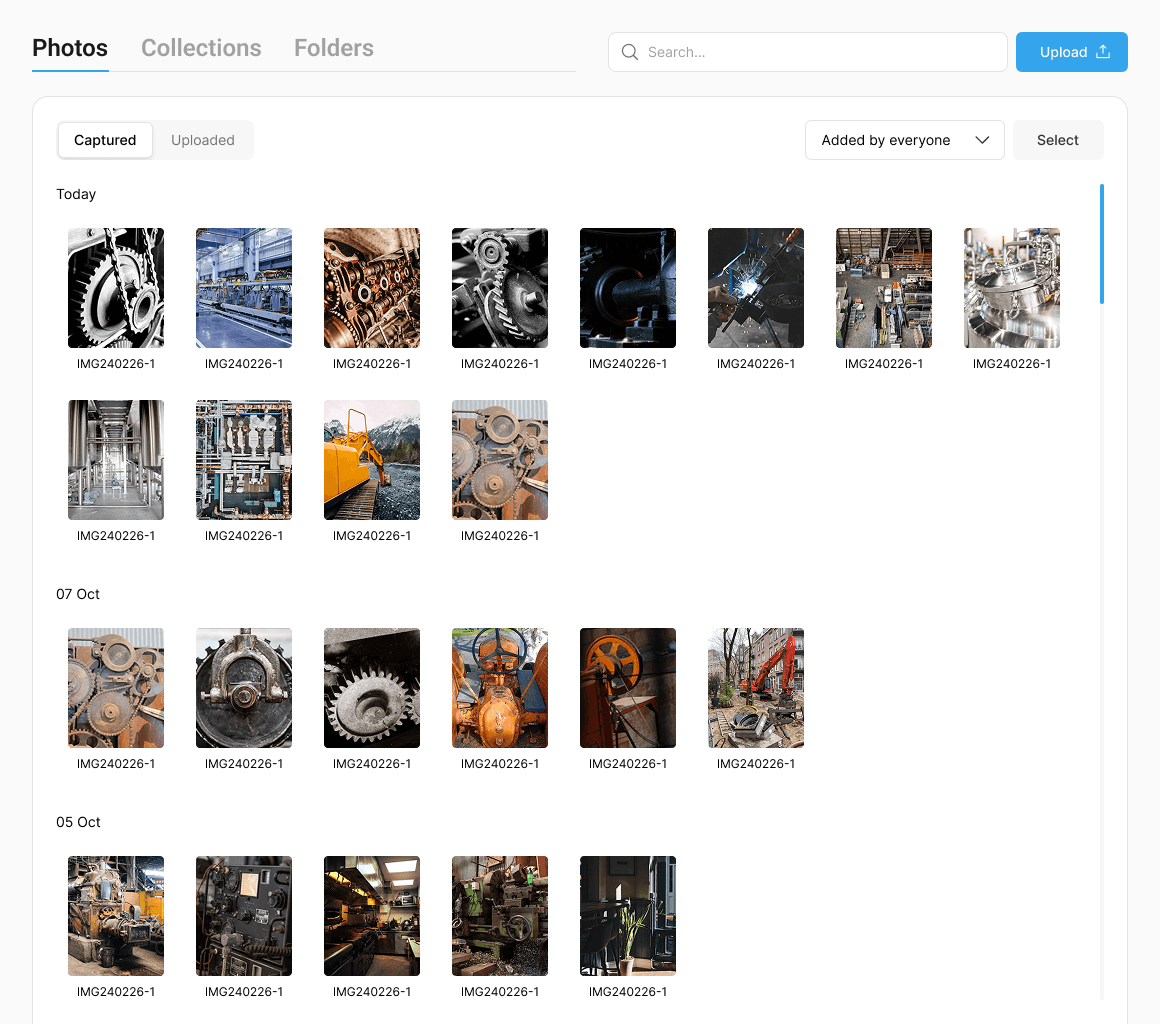
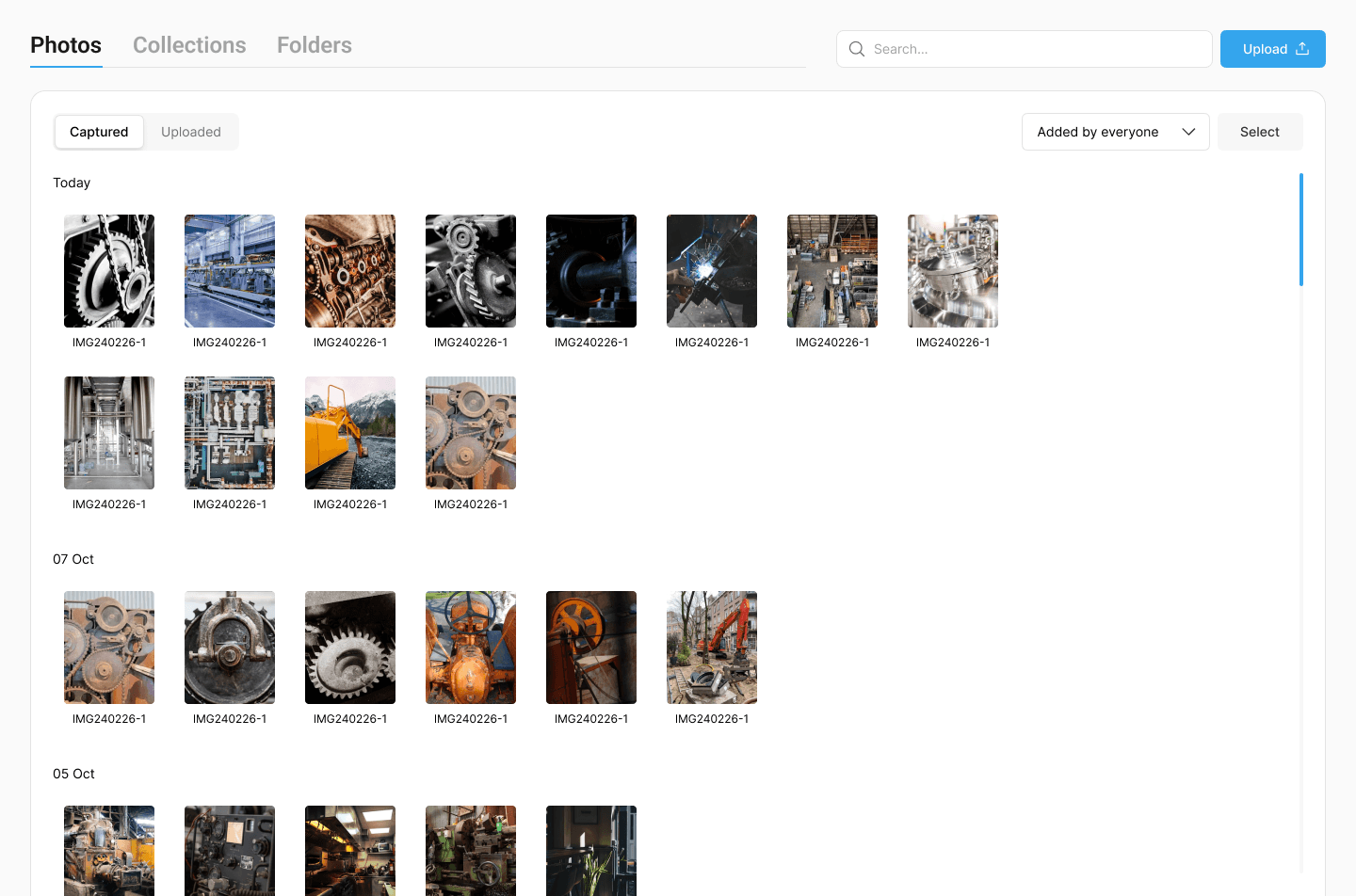
Gallery

Workforce

Customer

Gallery

Workforce

Customer

Gallery

Workforce

Customer

Review and Finalise Reports Before They Are Completed

Before a report is finalised, you can check the details, confirm the work completed, and make sure the documentation reflects the standard your business expects. This helps ensure reports are accurate, consistent, and properly reviewed before they become part of your operational record.

Review technician notes and findings

Verify attached photos and job details

Approve reports before they are finalised

Maintain consistent reporting across team

Approval Workflow That Actually Works

01

Employee Submits

Worker completes report on-site and submits it to your admin dashboard for review.

02

You Review & Decide

Approve it with one click, or request changes with feedback to maintain quality control.

03

Send to Client

Approved reports go straight to customers. Branded, professional, and client-ready.

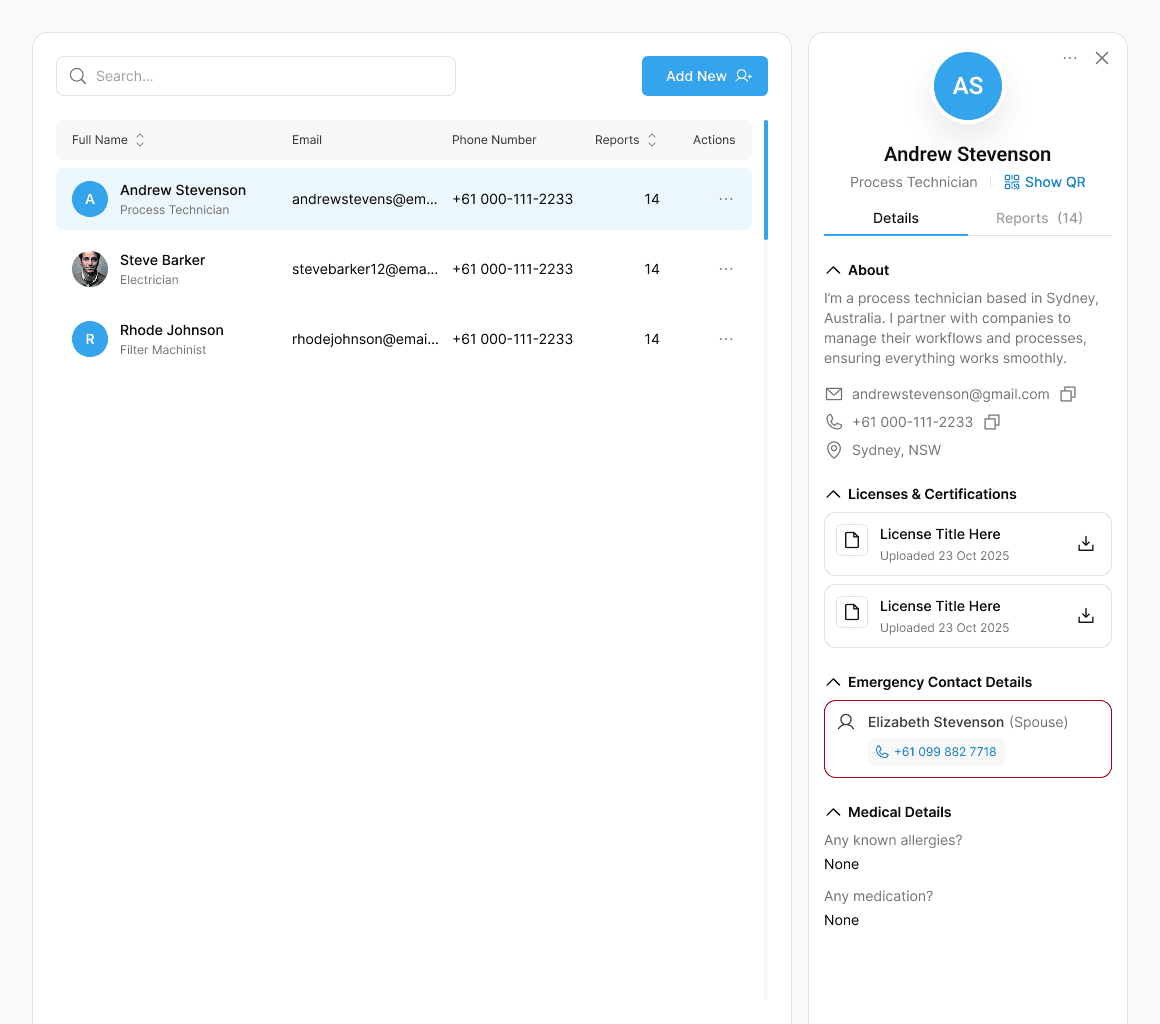
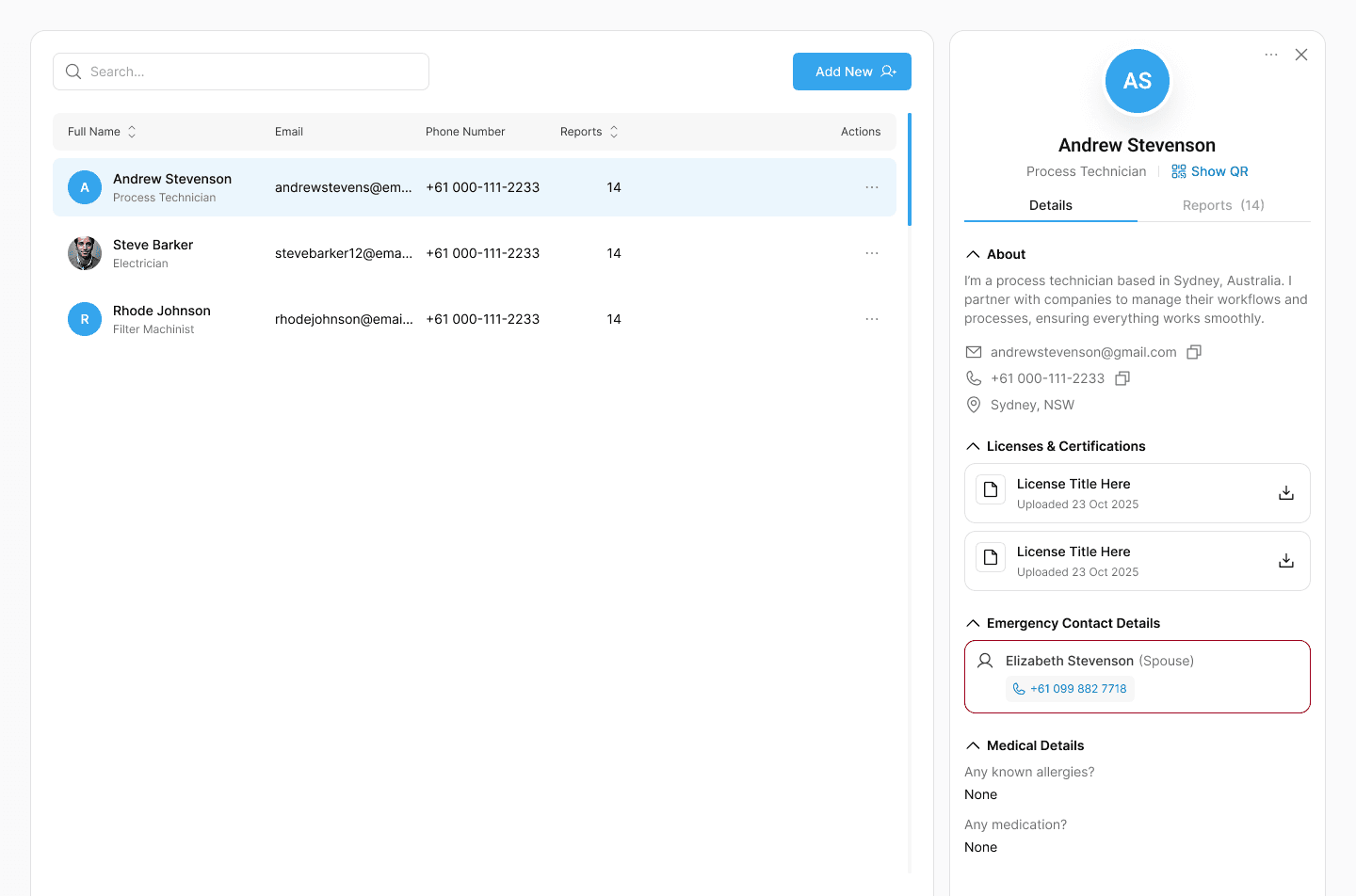
Manage Your Workforce

View every technician using your Workex environment.
Control who has access, monitor reporting activity, and ensure work is being documented consistently across the team.

This gives you a clear view of who is submitting reports and how reliably job information is being recorded.

Add or remove users

Manage technician access

Monitor reporting activity

Maintain accountability across the team

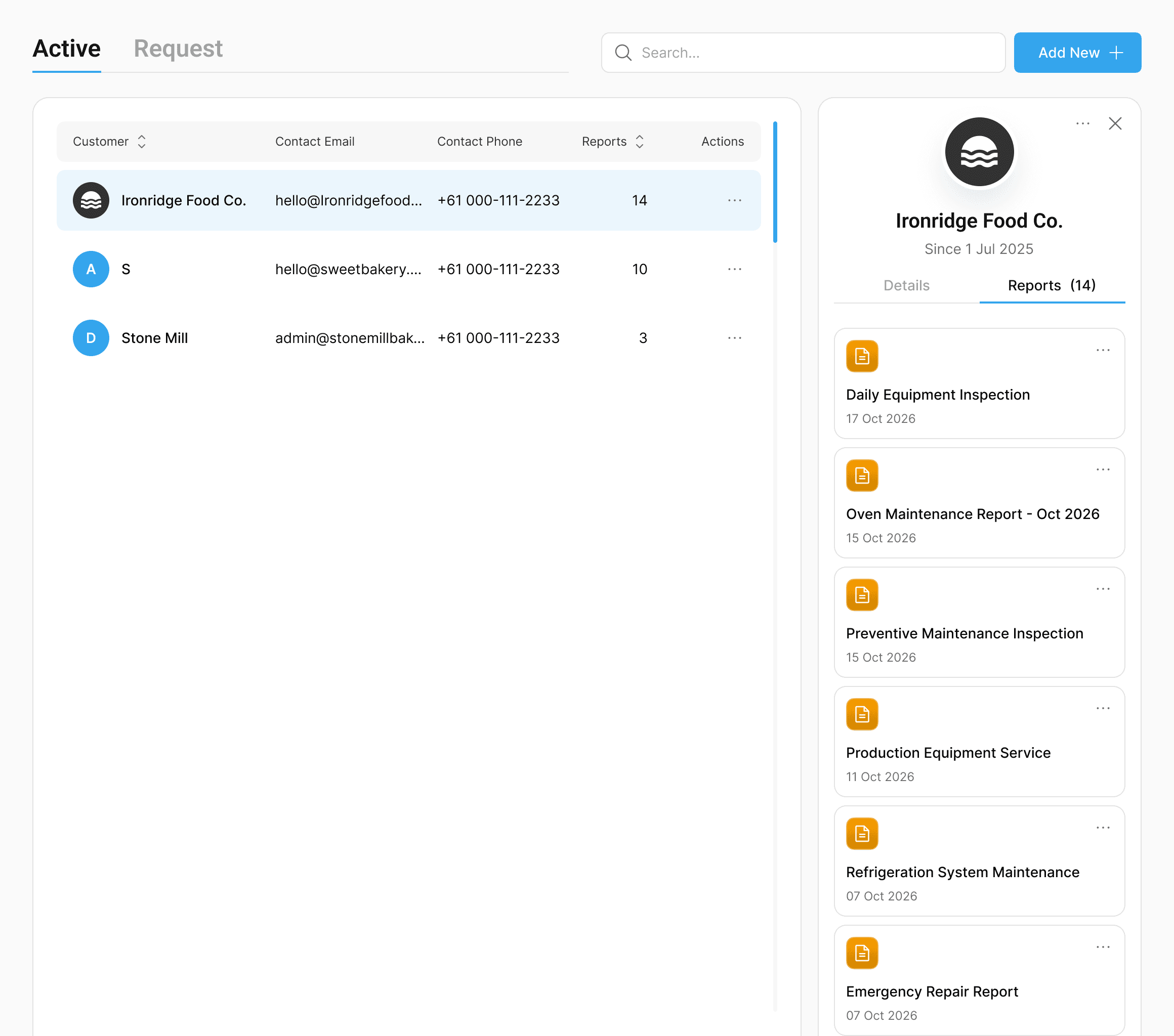
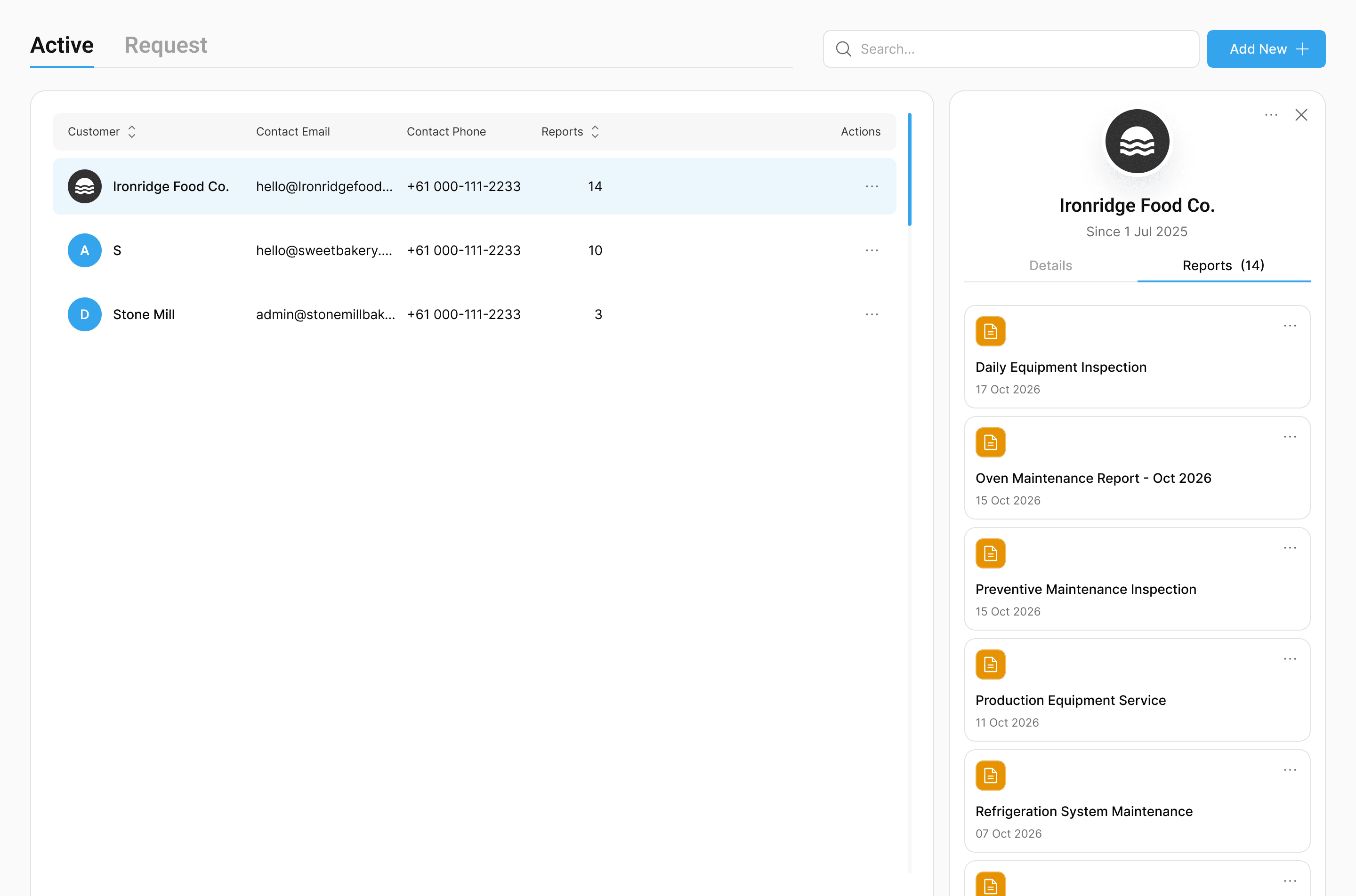
Complete Customer Service History

Every report linked to a customer is stored here, creating a clear operational record of the work your team has carried out over time.
Instead of searching through emails or old paperwork, you can instantly see what work was completed, when it happened, and what equipment was involved.

This gives your business a reliable history of service activity across every site.

All service reports linked to each customer

Job history across multiple visits

Equipment serviced at each site

A complete record of work completed over time

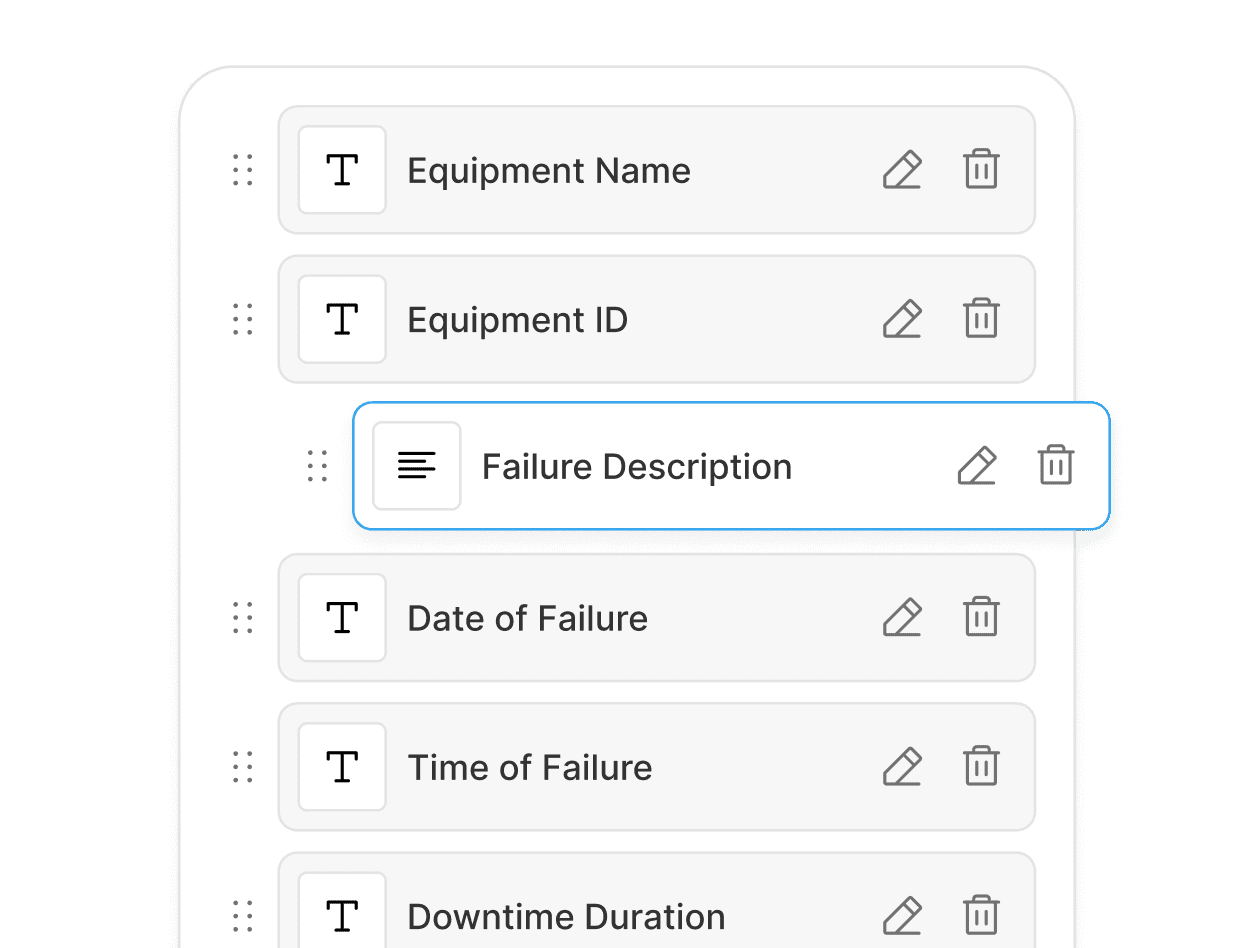
Standardise How Work Is Documented

Templates define how jobs are recorded across your team.
By setting the structure of each report, you ensure technicians capture the right information every time, whether they are completing inspections, repairs, or service work.

This keeps reporting consistent and prevents important details from being missed.

Equipment Failure Reports

Breakdown Analysis

Maintenance Reports

Inspection Checklists

Permit Documentation

Shift Handover Reports

Manage Billing and Subscription

This section manages the billing for your Workex environment.
Admins can view the current plan, update payment details, and access invoices.

All billing activity for the account is recorded here.

View your current Workex plan

Update payment methods

Access invoices and billing history

Manage billing details for the account

Stay Informed

Receive alerts when technicians submit reports, attach photos, or complete jobs.

Admins can quickly see when new work is ready for review.

AS

New Report Pending Approval

Andrew S. submitted Maintenance Report for approval.

Approval Deadline Approaching

Equipment failure report pending approval for 4 days.

AS

New Report Pending Approval

Andrew S. submitted Maintenance Report for approval.

Stop Fighting with Generic Forms

Build reports that match how you actually work. Try Workex for free.