
The Hero Flow Explained
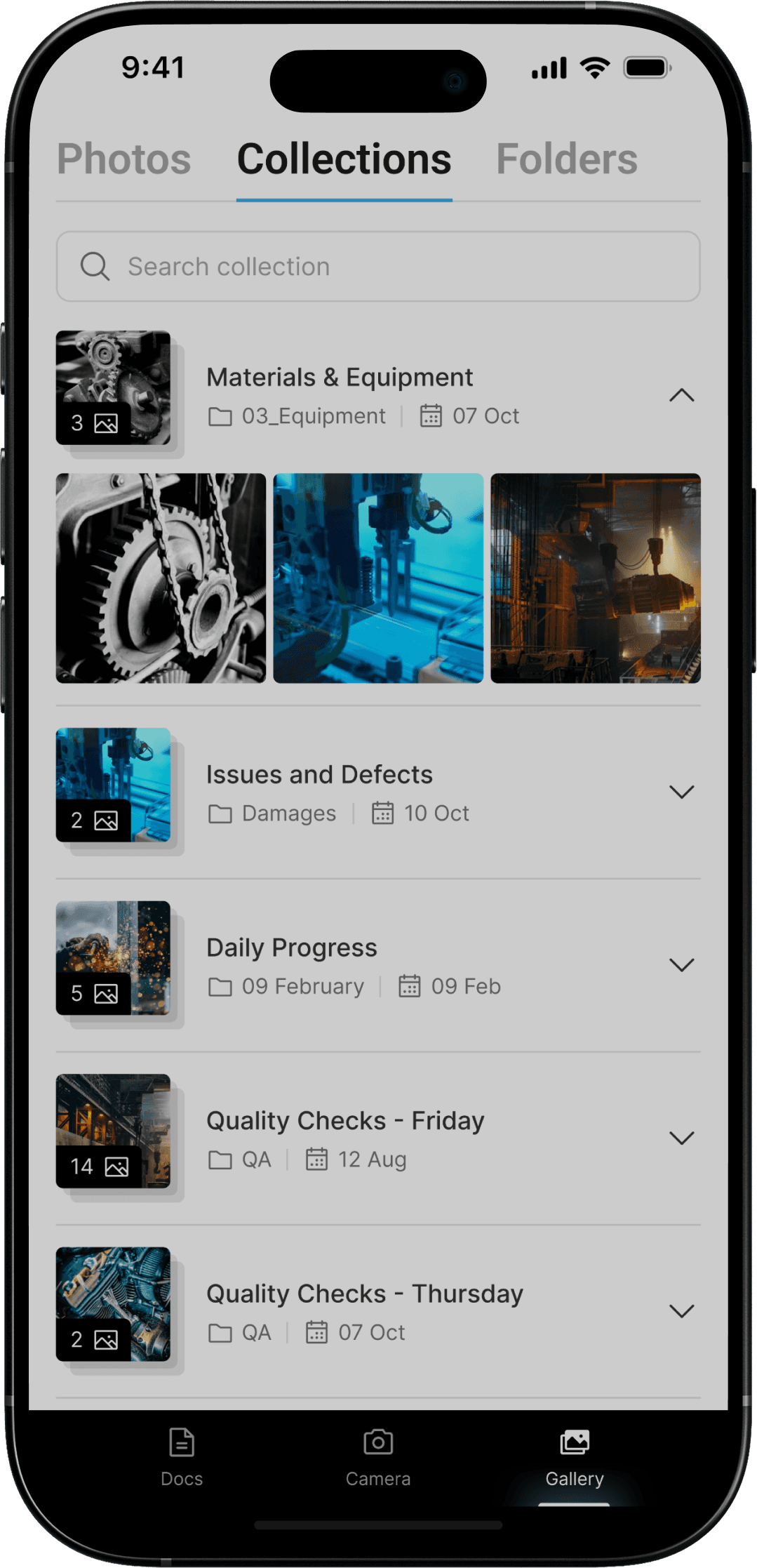
Starting with what trades already do, take a photo to prove the work they did.
Trades typically do this to combated disputes when it comes to work they may not have done. So, we have tapped into what trades are already doing, then guiding them through a process to generate a PDF report of any template style.
Capture the Work
Take photos like you always do. Document the job as you go with your phone camera.
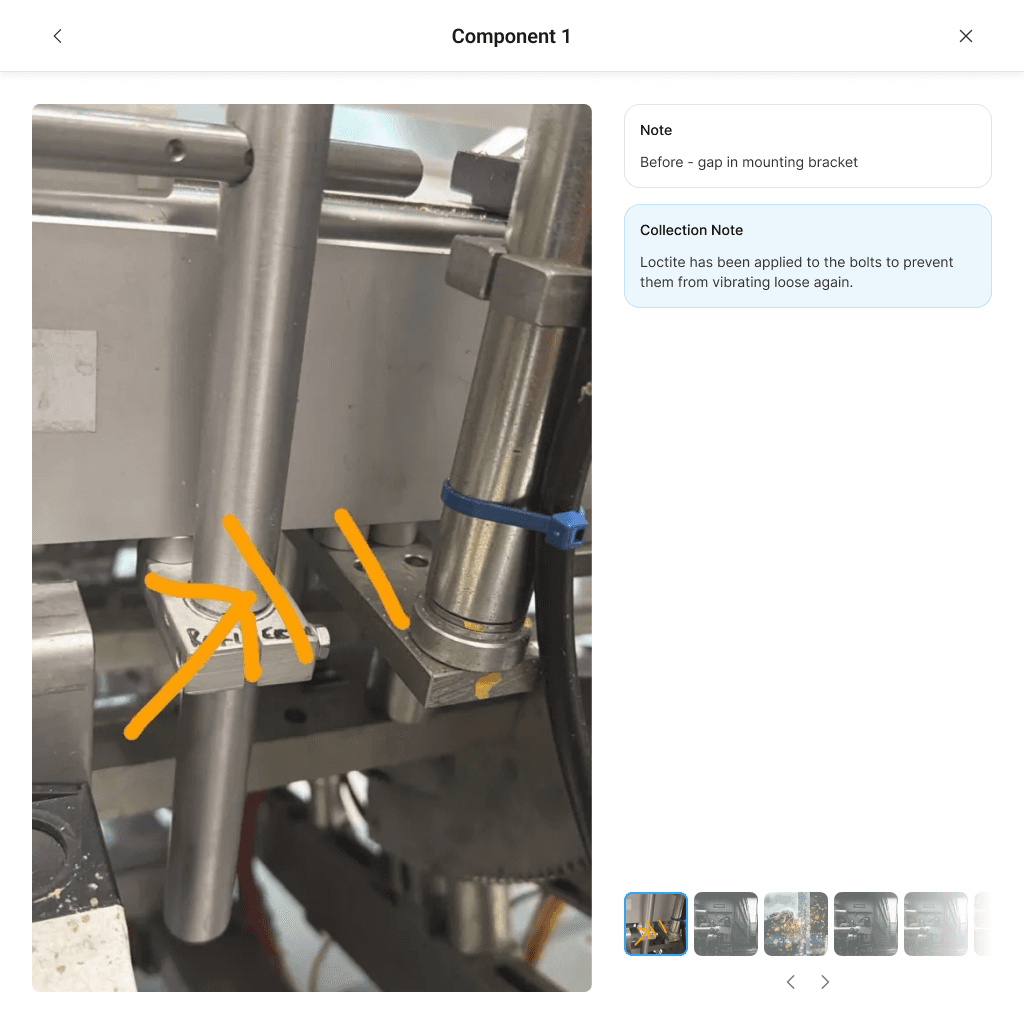
Add Quick Notes
Tap to add context to each photo. What you did, what you found, what needs attention.
Generate the Report
Turn your photos and notes into a professional PDF report.
The Advantage
No new habits. No extra admin.
Photos become the anchor for reporting, not an afterthought. We especially crafted our Hero flow with the fact that photos are the most important part of any report.
It works for experienced technicians, apprentices, and teams with mixed language backgrounds. Everyone can contribute without friction.

Beta Feature
Intelligent Pre-Fill
This is where Dover does the heavy lifting.
Dover reads the photo notes and understands what the job was, what was found, and what was done. It fills out most of the report fields automatically.
The worker checks it, fixes anything needed, and submits. You stay in control, but the hard part is already done.

Collection Note
Generate
Rebuild of the old filing machine, alignment photos.

Two Field Types, Maximum Clarity
Workex templates use two types of fields to keep reports structured without repetition.


Main Report Fields
Standard details entered once at the start. These capture the essential job information like date and time, machine or location, customer or site, technician name, and job type.
Fill these out once, then focus on the actual work performed.
Component Fields
The real detail of the job. Use these to record information about each specific part or area you're working on.
This structure keeps reports organized, searchable, and easy to understand, whether you're reviewing one job or a hundred.


The Outcome
Workers spend less time writing reports and more time on the tools. Managers get consistent, detailed job history they can rely on.
Over time, every report builds a stronger picture of each machine. Faults, fixes, and patterns stay with the equipment, not in someone’s head. Building a stronger data set for future insights!
Clear records
Faster reporting
Better Decisions