



The Job List Lives in Too Many Places
The jobs get done. Keeping track of them is where it falls apart.
Responsive Work Gets Missed
The quick fixes and faults that come up during a shift don't always become responsive work orders. When they aren't captured, neither is the history, making repeat failures harder to spot.
Creating a Work Order Takes Too Much Effort
When logging a job means stopping what you're doing, finding a computer or working through a clunky CMMS, it's easy to leave it until later, or not at all.
Finding the Fault is Half the Job
A work order might tell you which machine to go to, but a vague description and no photo can leave you searching for the actual fault.
From photo to work order in seconds.
Spot a cracked isolator or leaking seal? Take a photo, turn it into a work order and assign it to your team in seconds, with the photo already attached and without leaving the job.
Snap it
Photograph the problem from the camera tab.
Add as a work order
One tap creates the task, photo already attached.
Assign and go
Pick the board, name it, send it to your crew.
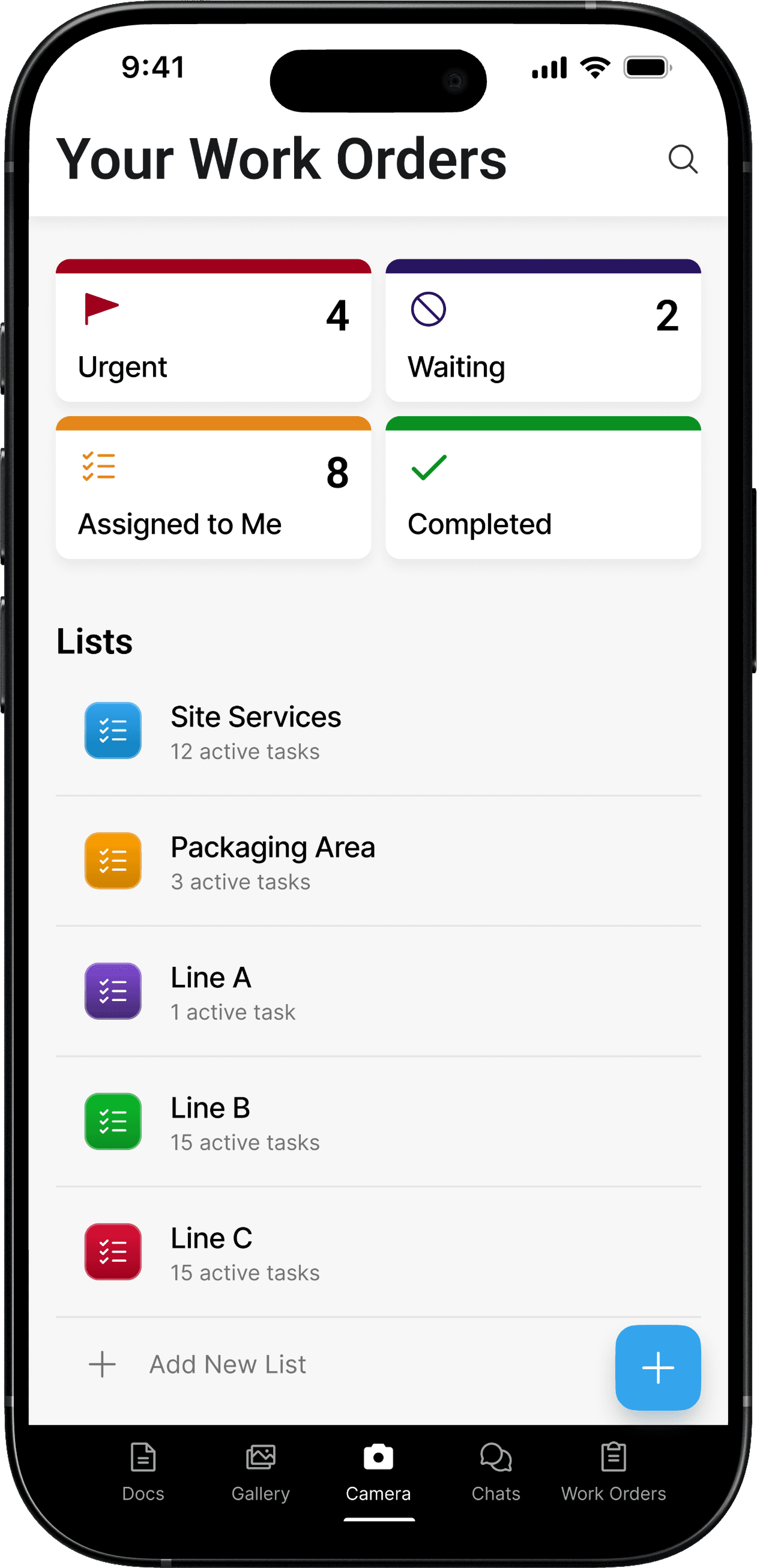
One Board Per Area.
One Work Order Per Job.
Give every area its own list, then every job lands on the right board with a status, a priority and everyone who needs to see it. Open the app and the whole operation is in front of you.
Finding the fault becomes part of the job
You know the asset and location, but still have to work out what you're actually looking for.
The fault is already in front of you
Photos show the problem and surrounding area before you even pick up the tools.
Raise a task by typing
Stop, find a keyboard, describe what you're looking straight at.
Raise a task by snapping a photo
The picture is the task. Point, shoot, it's logged.
Write the report yourself
Re-key every detail once the job's already done.
Dover drafts it from the finished job
The write-up is done before you leave site.
The CMMS is back in the workshop
Walk back to the workshop, find a computer and log the job after the fact.
The work order is in your pocket
Raise, update and close out work from your phone while you're still at the job.
The work order is one record
The job records what was requested and completed.
The work order connects to everything around it
Trace backwards from the completed job to see the photos, conversations, safety paperwork, approvals and reports behind it.

Send a work order straight to whoever's doing it. It shows up on the phone your crew already carries, with the site, the scope and the priority attached. No morning huddle, no chasing.
Simple statuses and priorities
Every job sits in one of four states, with one of four priorities. That's the whole system. Your crew knows what's next without training, and you know what's moving without asking.


Keep every update on the job
Questions, blockers and photos stay pinned to the work order they belong to. Open the job three weeks later and the whole conversation is right there, not buried in a group chat.
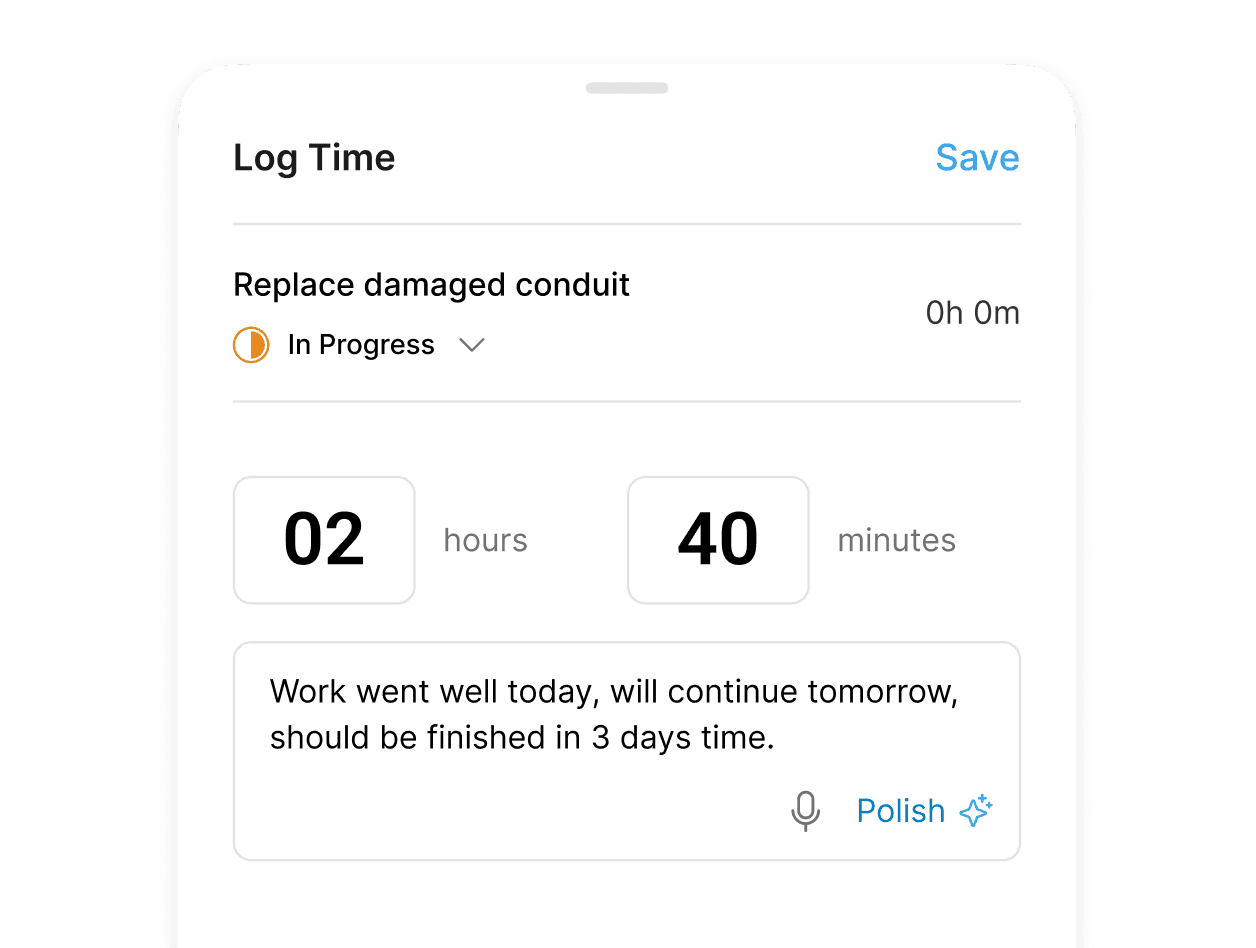
Track hours on the task
Your team starts and stops the clock on the job itself. Hours land against the right work order automatically, so every task carries the real time spent on it.

Turn finished jobs into reports
A completed work order already holds the whole story: the photos, the notes, the hours, who did what. Dover reads it and fills your report template for you. Review, tweak, send, done before you leave site.
We’re here to help. If you didn’t find what you're looking for, feel free to contact us.